Every marketing team has a version of the same story.
A campaign kicks off with a brief in a Google Doc. Designs land in someone's inbox. Feedback comes back as "see my comments in the PDF." The copywriter is working off a brief that was updated two days ago but nobody told her. The client approves the landing page but nobody is sure which version. Launch day arrives and three people aren't sure if QA was actually signed off.
This is not a people problem. It's a process problem, and it's one that most teams solve by adding more Slack messages on top of an already broken system.
Why the standard stack fails
The tools most agencies use (email, Slack, Google Docs, spreadsheets) were not designed for coordinating production across multiple people, channels, and clients.
They're communication tools, not production tools. The sending platform is not the answer either: it models the send, not the production workflow before campaign execution.
The symptoms are familiar:
- No single source of truth. The brief lives in Notion, the designs are in Figma, the copy is in a Google Doc, and nobody knows which version is current.
- Approvals are undocumented. "The client approved it on the call" is not an approval trail. Six months later, when someone asks who signed off on that email, nobody has a record.
- Handoffs break silently. When the copywriter finishes their draft, they email the designer. The designer is on holiday. The email sits unread for three days. Nobody knows the campaign is blocked.
- Status is invisible. The only way to know where a campaign stands is to ask someone, who has to ask someone else, who checks a spreadsheet that was last updated on Tuesday. Being able to track the status of each campaign asset separately is what turns that into a question you can answer by looking.
What a working production workflow looks like
A functional campaign production workflow has four properties that the standard stack almost never provides:
1. One place for the full picture
Everyone at the agency, from the copywriter to the account manager, can see the full campaign at a glance: what exists, what's in progress, what's blocked, what's ready to go to the client. Not a status meeting. Not a spreadsheet. A live view.
2. Structured handoffs
When a stage of production is complete, the next person in the chain is notified automatically. Not via a Slack message that gets buried, but through a structured signal tied to the work itself. The handoff is recorded. The timestamp is there. Nobody has to ask "is this ready for me?"
3. Dependencies that are visible before they bite
The landing page the email points at, the SMS that repeats the offer, the hero image two channels share. Production either models those links or discovers them on send day.
4. A defined finish line
Production ends at one state: ready for client proof. Not "done", which means four different things depending on who says it. The asset is built, the agency's own QA has run, and it can go in front of the client without embarrassment.
What happens after that finish line is not production. Once the agency has a proof-ready version, client feedback moves into client proofing. Once that feedback is resolved, the decision moves into approval and sign-off. Both matter enormously and neither is a production capability, which is why an agency that files them under "production status" ends up with a done column that cannot be read.
Production → Client proof → Approval
The channels that make this hardest
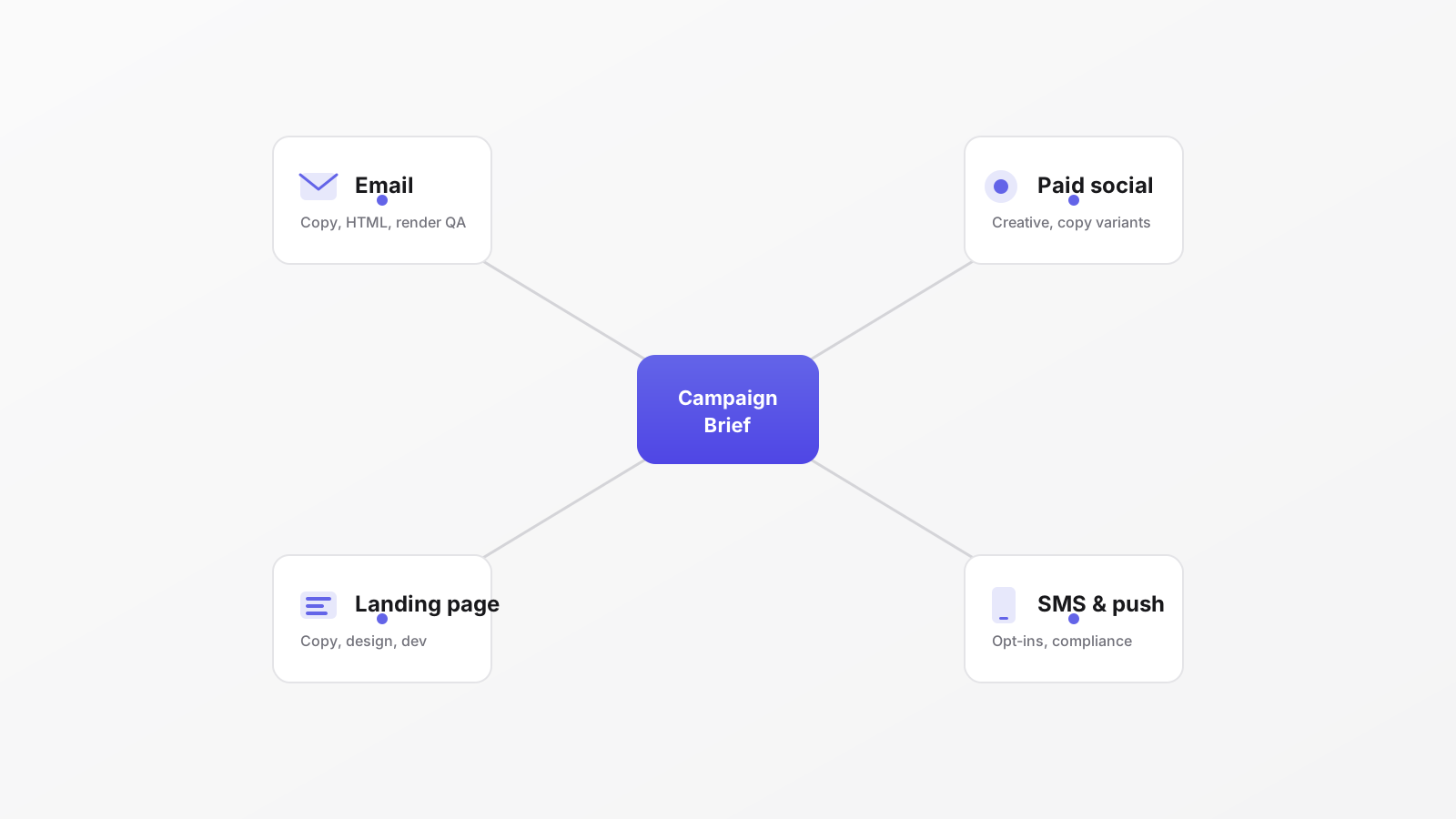
Multi-channel campaigns are disproportionately hard to coordinate because each channel has its own production logic.
- Email requires copywriting, HTML production, rendering QA across clients and devices, and seed testing before deployment.
- Landing pages require copy, design, development, and link testing, often with dependencies on the email campaign it's connected to.
- Paid social requires multiple creative sizes, copy variants per audience, and often a separate approval chain.
- SMS and push have regulatory constraints (opt-ins, character limits) that add compliance checkpoints to the production flow.
When all of these are running in parallel (which they are, for most client campaigns of any size) the coordination problem multiplies. A delay in email HTML production blocks the seed test. A late design approval on the landing page blocks the paid social team who needs the same hero image. Everything is connected and nothing makes those connections visible. We go deeper on modeling these dependencies visually, rather than tracking them in someone's head, in managing a campaign from brief to sign-off.
A practical starting point
If you're not ready to change tools, you can get most of the benefit by adding structure to what you already have:
- Write a single campaign brief that all channels reference. No channel-specific briefs that diverge from each other. See our guide on how to write an email campaign brief for the fields that keep it from drifting.
- Define phases explicitly for each piece of content, working from the asset list that designing the campaign journey produces: who produces, who reviews internally, who reviews externally, what "done" means.
- Record approvals in writing, even if it's just a reply-all email. The approval needs to exist as a document, not a memory.
- Have a weekly status checkpoint, not a meeting, just a shared document that everyone updates on Friday with current status and blockers.
Even a simple shared naming convention for versions (v1-draft, v2-client-review, v3-approved) removes most of the "which version did we approve?" disputes without adopting new tooling.
These changes don't solve the underlying coordination problem, but they reduce the most painful failure modes.
The next step, for agencies running more than two or three significant campaigns at a time, is moving to campaign production management that treats campaign production as a workflow problem, not a communication problem. And before anything ships, what goes on a campaign pre-send checklist is the multichannel QA that catches the errors living between channels, not inside one. You can download the multichannel pre-send checklist we use for that, with the cross-channel checks and a named owner per line.
We cover exactly what that looks like in Introducing Journey Builder.
FAQ
What's the difference between a project management tool and campaign production software?
A project management tool tracks tasks, owners, and dates. Campaign production software also models which version of each asset is current, the dependencies between channels, and whether a piece is genuinely ready to leave the agency, the parts a task board was never built to hold.
How do you keep multiple channels in sync in one campaign?
One shared brief that every channel references, explicit production phases per asset, and a single live view of status instead of a spreadsheet that was last updated on Tuesday.
Where do multichannel campaigns usually break?
At the handoffs and dependencies between channels: a late landing-page approval blocking paid social, or email HTML slipping and blocking the seed test. Those links are invisible in email and Slack.
Do we need new tooling to fix this?
Not to start. A single brief, explicit production stages, one named owner per asset, and a weekly checkpoint remove the worst failures. Dedicated software earns its place once the agency is running several client campaigns at the same time, each with its own proofing and approval cycle.


