Journey Designer is the visual canvas for defining the logic of a lifecycle campaign and connecting that strategy to the work the team needs to produce.
Map messages, landing pages, waits, decisions and branches, then see production status directly on the same journey.
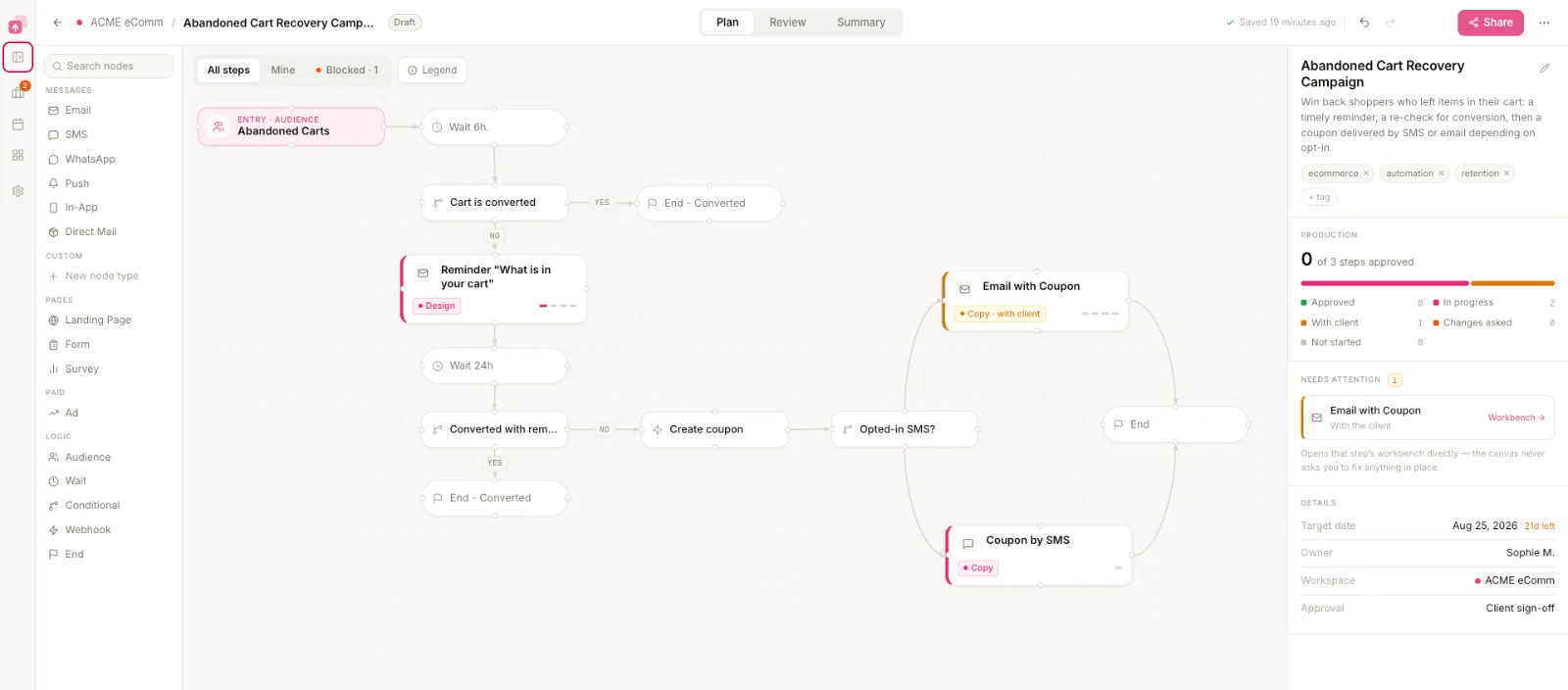
What can you put on a Journey Designer canvas?
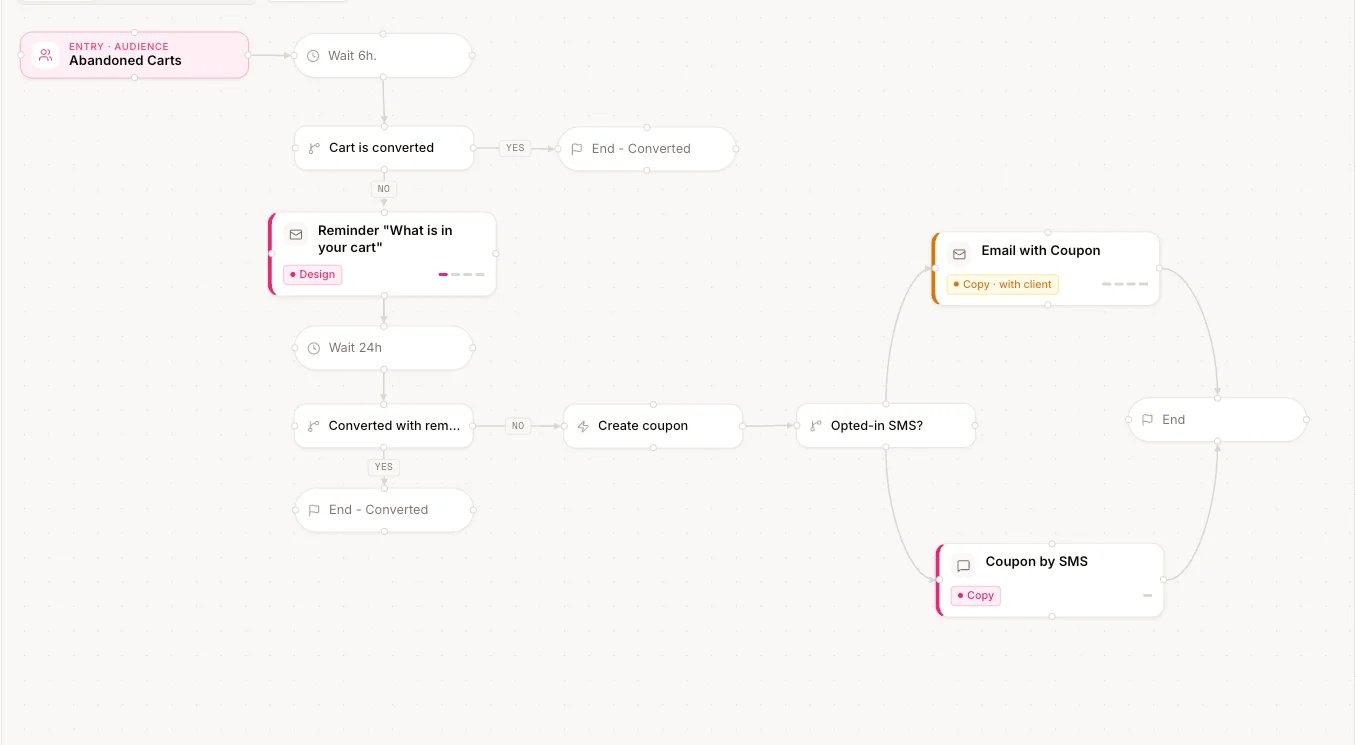
A Journey Designer canvas can contain the campaign messages, pages and automation logic needed to describe how the lifecycle sequence should work.
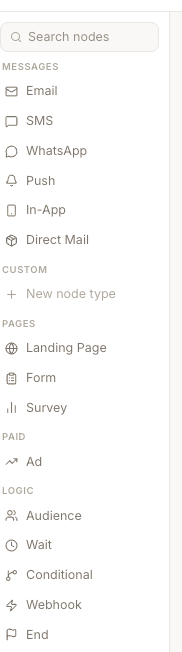
A conditional creates the decision paths the journey branches into.
Custom campaign channels
Add your own message types when the campaign uses channels outside the standard set.
LaunchSign plans and tracks these channels. It does not send through them.
How do you define the logic of the automation?
Journey logic is the sequence of messages, waits and decisions that determines what happens next for the person moving through the campaign.
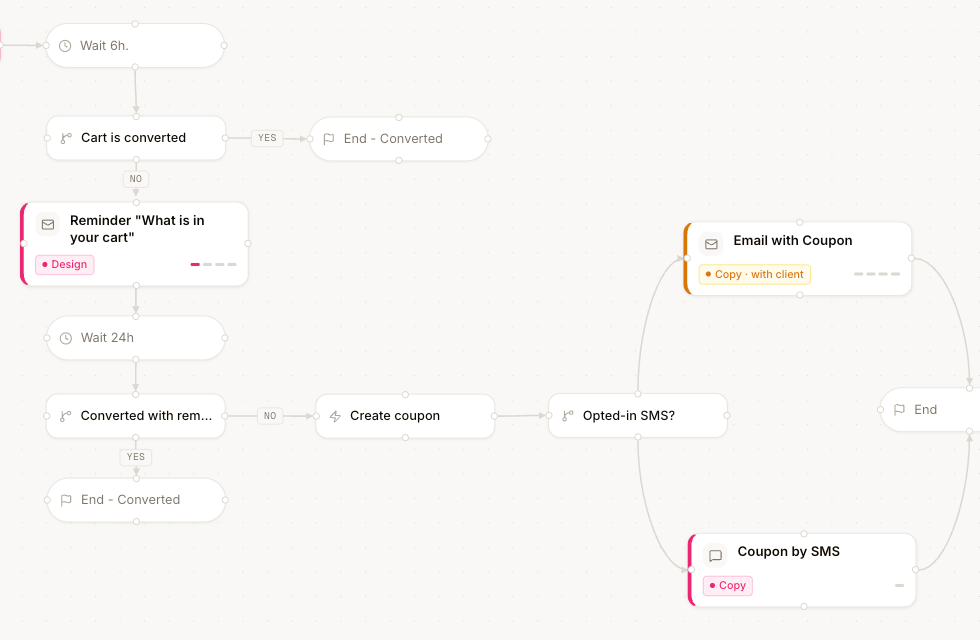
A decision splits the flow, and each branch continues on its own path.
The journey defines what the campaign needs to do before the team starts producing every individual asset.
How does the canvas stay readable as the journey grows?
Journey Designer automatically reorganizes the canvas as messages, waits and decision paths are added or changed.
No dragging the rest of the flow back into place every time the strategy changes.
A second path opens in the middle of the flow.
Add a decision and the rest of the journey moves with it.
How does the journey become production work?
A Journey Designer node can represent both a step in the campaign strategy and an asset the team needs to produce.
Production status stays attached to the elements shown on the canvas.
The journey is not just the plan. It becomes the structure the production team works from.
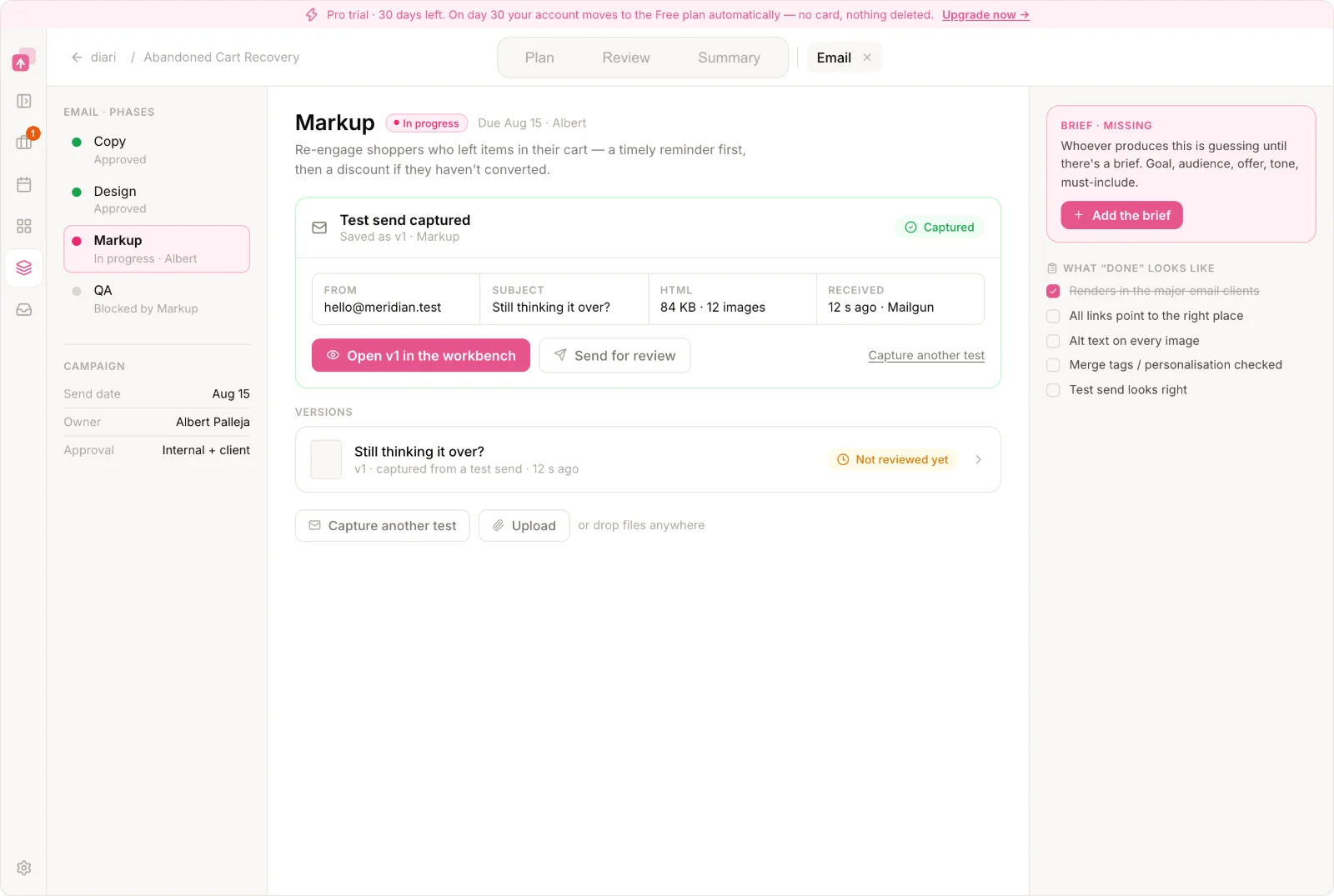
A box in a diagram tells you an email should exist. A LaunchSign journey node can also tell you whether that email is ready.
How do you see progress and what needs your attention?
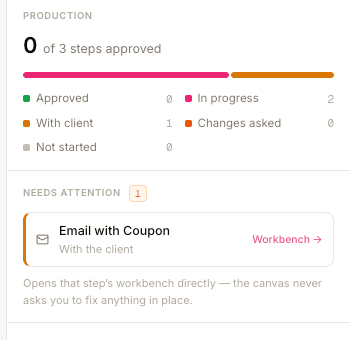
Journey Designer shows both how the campaign is progressing and which journey elements have work waiting for you.
The person coordinating the campaign can see progress across the whole flow, while each contributor can spot the elements where they need to act.
Can you share the journey with a client or stakeholder?
A Journey Designer flow can be shared so clients or stakeholders can see how the campaign has been structured.
Share the flow so clients or stakeholders can understand the campaign logic without reconstructing it from a list of emails and tasks.
Review the campaign logic before production gets expensive.
Sharing a journey is for understanding the flow. Formal sign-off happens per campaign asset in review and approval.
How do you keep the journey useful as the strategy changes?
A lifecycle campaign is rarely designed once. The journey carries its own starting point, its history and its context.
Start from a proven structure
Use industry journey templates for common lifecycle programs instead of starting from an empty canvas.
Keep previous journey versions
Create a new version when the sequence or automation logic changes while keeping previous versions on record.
Keep the brief with the journey
Capture the campaign context, goals and requirements alongside the journey they define.
Who usually designs the journey?
Journey Designer is typically used by the person defining or coordinating the campaign strategy: a lifecycle or CRM strategist, account manager, project manager or marketing operations lead.
They define what the journey needs to do. Copywriters, designers and CRM specialists turn that structure into the finished campaign.
What happens after the journey is designed?
Once the campaign structure exists, the same journey becomes the starting point for campaign production.
Journey Designer answers what needs to exist. Campaign Production answers what is ready, what is blocked and who has the next action.
FAQ
Does Journey Designer send the automation?
No. Journey Designer defines and tracks the campaign structure. The final automation is built and executed in the platforms the client already uses to send each channel.
Which channels can I put in a journey?
LaunchSign supports campaign elements such as email, SMS, WhatsApp and landing pages. Pro teams can also create custom campaign channel types for other messages they need to plan and track.
Can clients see the journey?
Yes. The journey can be shared so clients or stakeholders can understand how the campaign flow has been designed.
Does each journey node have production status?
Elements that need to be produced can stay connected to their production state, so the canvas shows how the campaign is progressing.
Does Journey Designer replace the platform used to build and send campaigns?
No. LaunchSign is used to plan and coordinate the campaign. Campaign execution still happens in the platforms the client uses to build and send.
Turn the journey map into the campaign the team actually produces.
Define the logic, see what needs to be built, and keep production state attached to the campaign structure.