LaunchSign connects four parts of the same campaign.
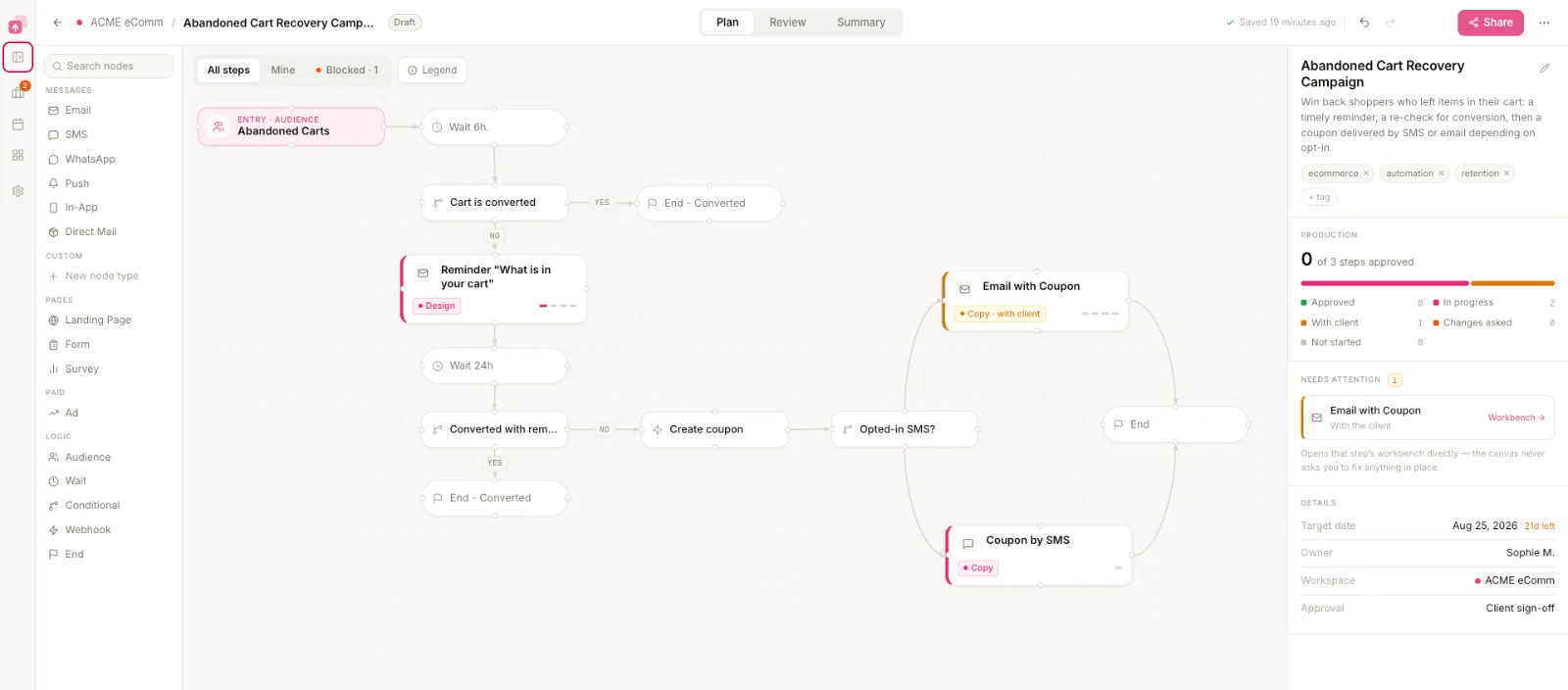
How does one campaign stay connected in LaunchSign?
A campaign in LaunchSign is the journey plus the assets and production work required to get it ready.
The journey tells the team what needs to exist. LaunchSign then keeps the production, testing, feedback and approval state attached to those assets.
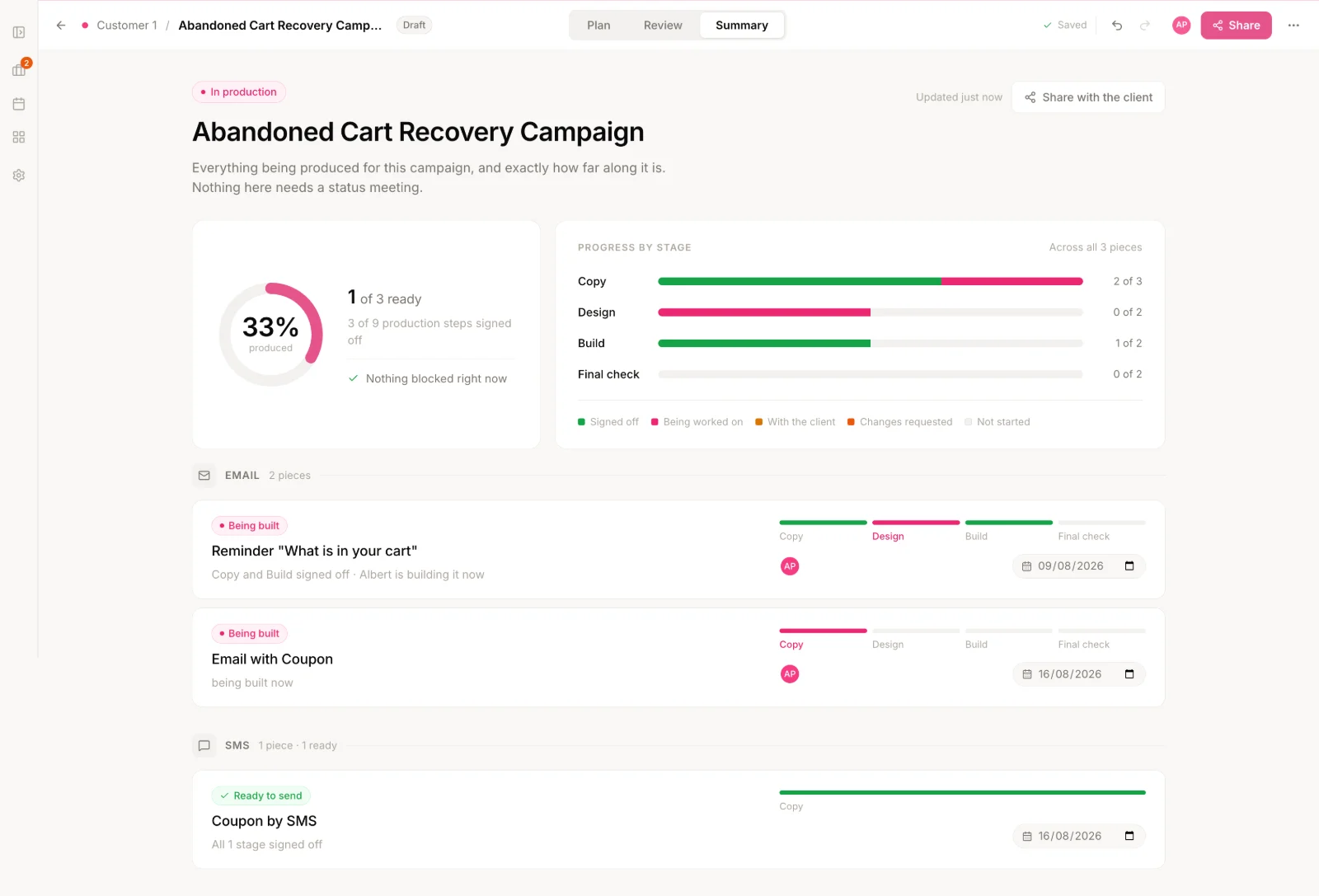
How do you turn lifecycle strategy into a journey the team can build?
Journey Designer is the visual canvas in LaunchSign for defining the logic of an automated campaign before and during production.
Map the messages, landing pages, waits, decisions and branches that make up the automation, then use the same journey to see what needs to be produced and how far each piece has progressed.
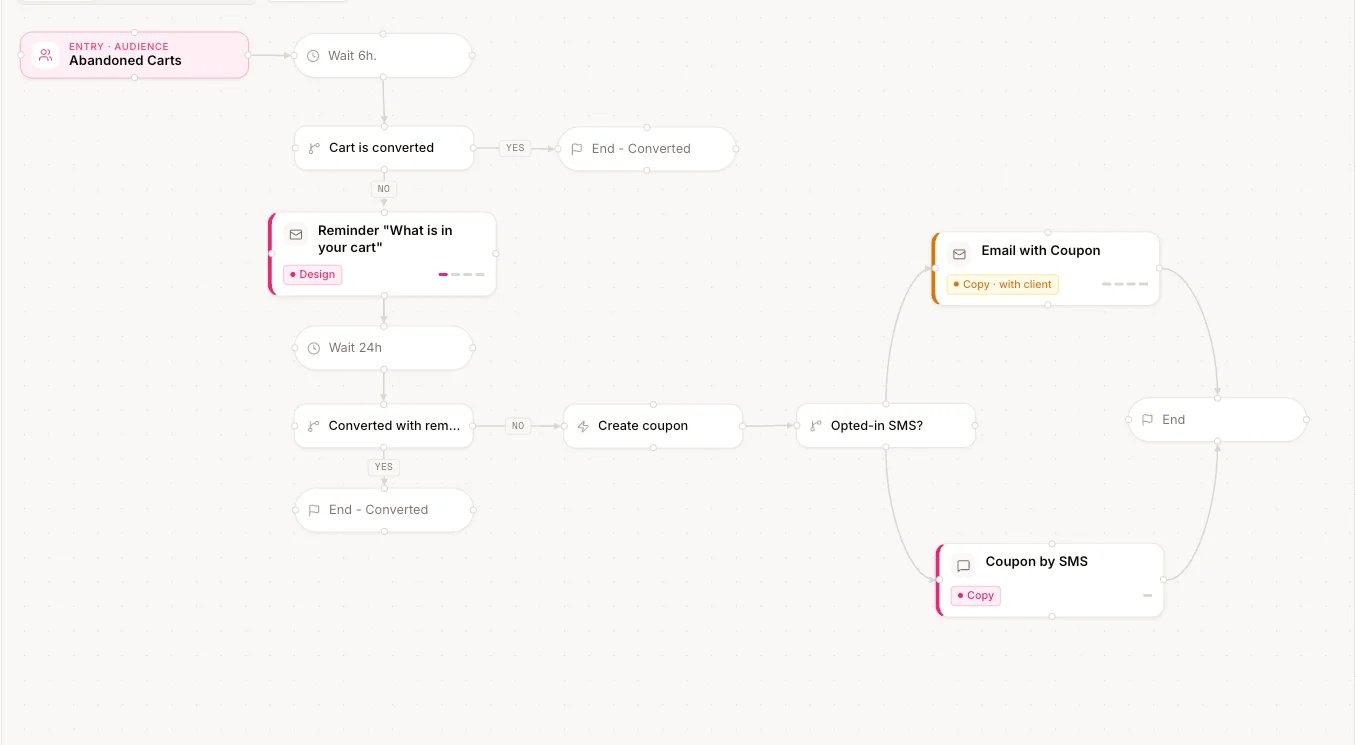
How do you know what needs to happen next?
Campaign production is the work required to move every planned campaign asset from idea to launch-ready.
Each asset can have its own stages, owner and current status.
What needs to happen to the asset?
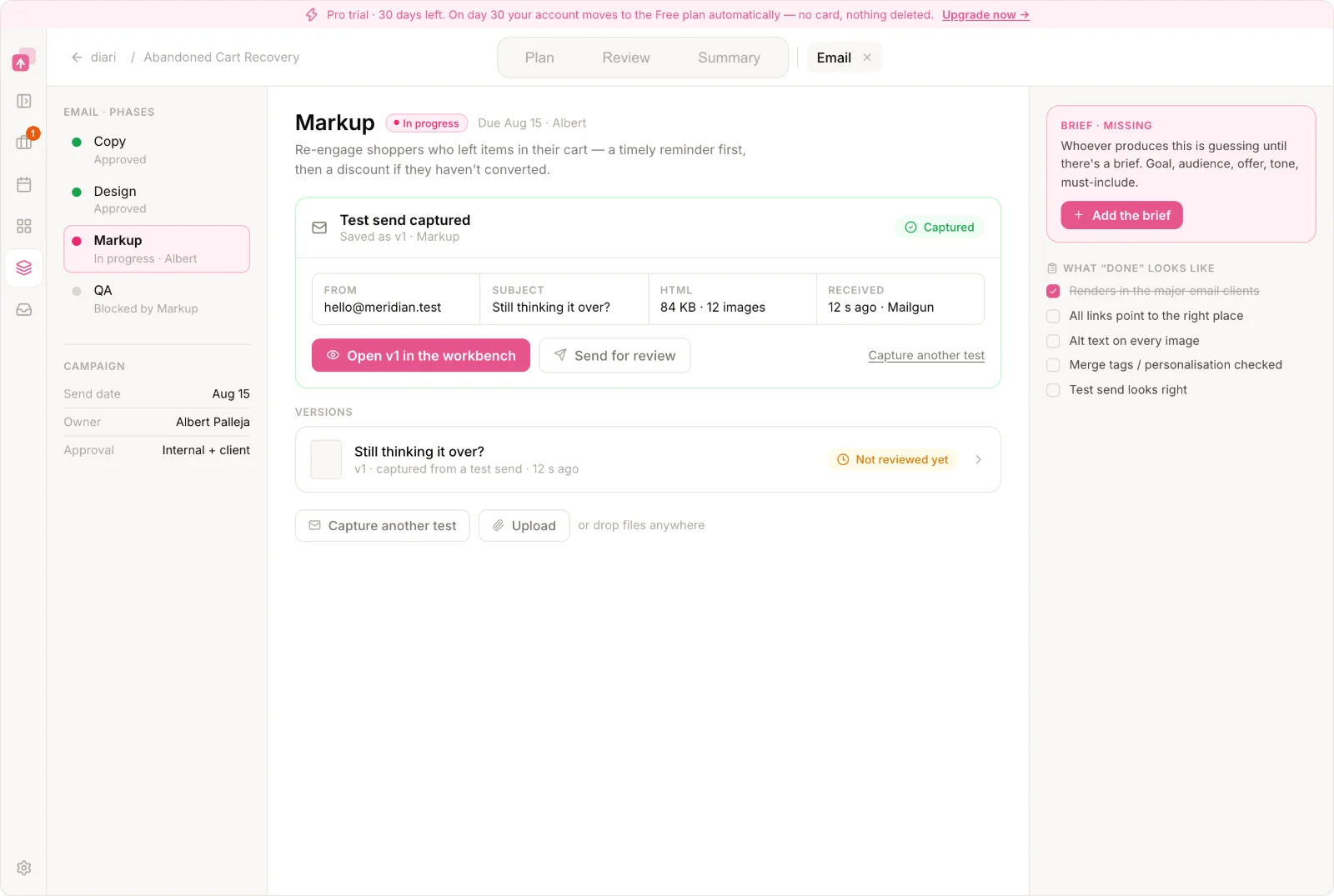
What does each person need to work on?
Each teammate sees the work that currently needs their action across campaigns.
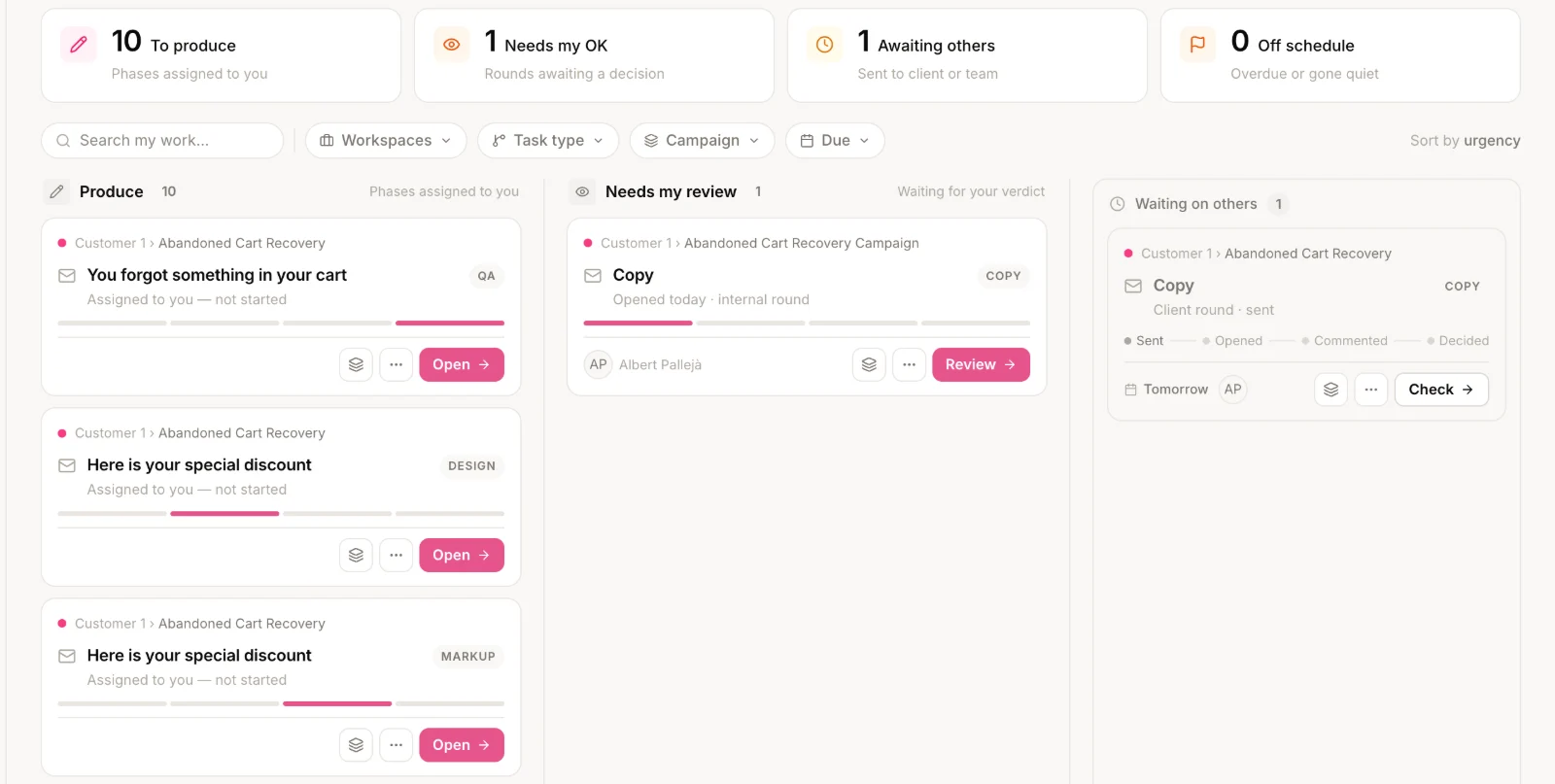
What is blocking the campaign?
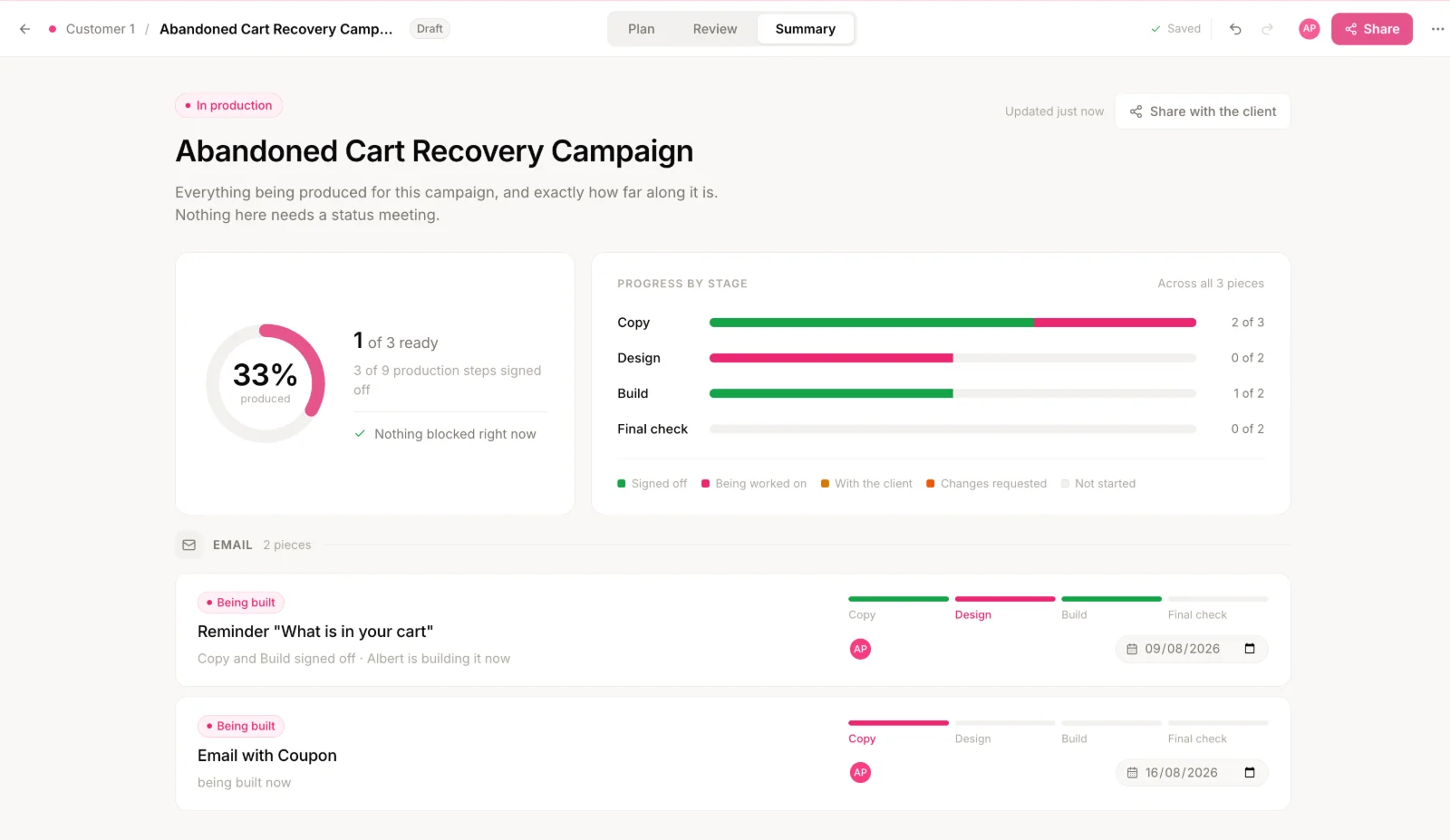
How do you test the actual email you built?
Email client testing is the process of rendering the built email across different inbox environments before it is approved for launch.
Build the email in your existing email platform and send a normal test to LaunchSign.
LaunchSign captures the actual email and generates previews across 100+ email clients and environments.
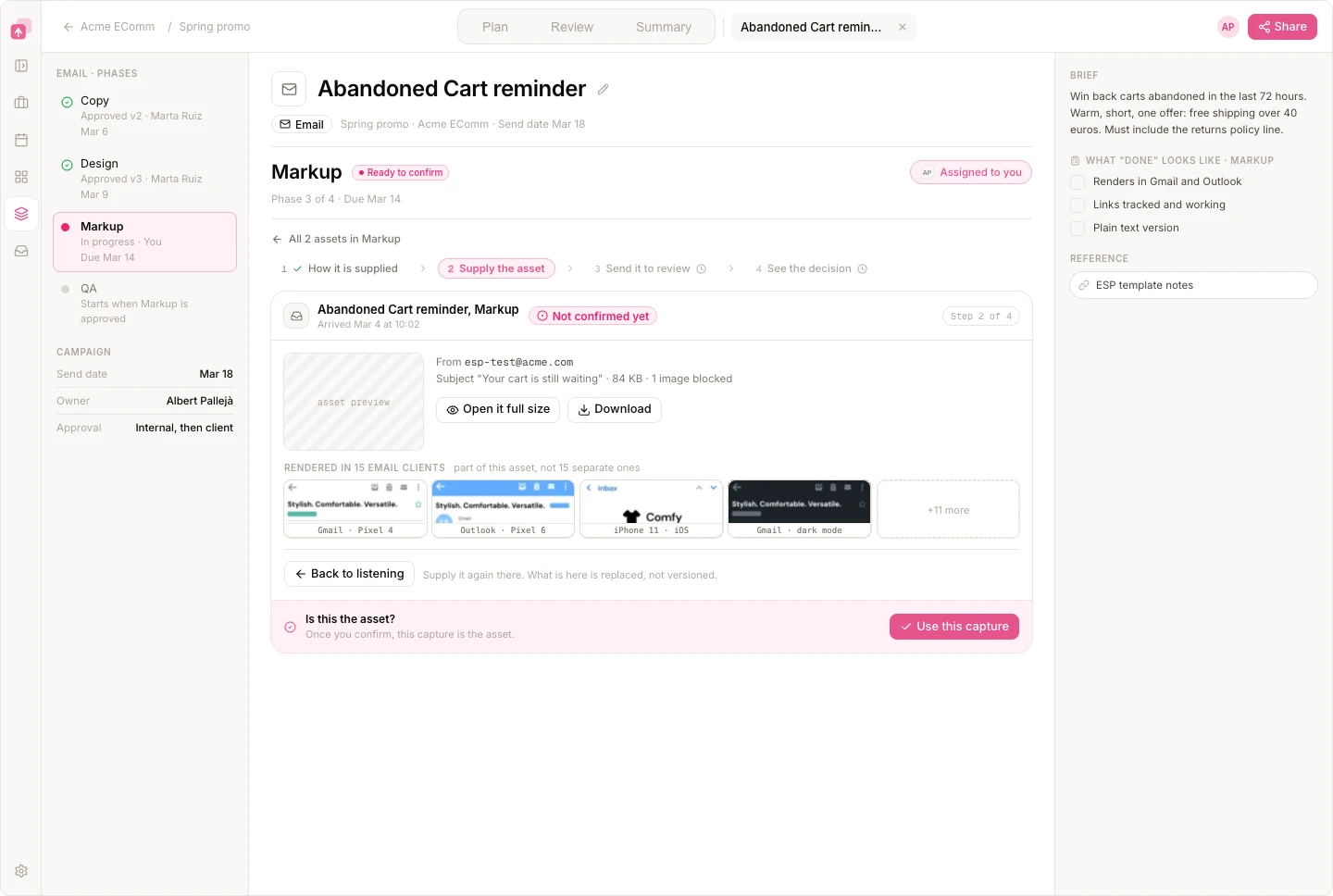
Which inboxes can you check?
What happens when a rendering problem appears?
Why keep email testing inside the campaign?
A rendering issue is part of campaign readiness, not a separate QA result. When Welcome Email 03 fails Outlook testing, that stays attached to the same asset as its build state and approval.
Explore campaign pre-send QAHow do feedback and sign-off stay attached to the right version?
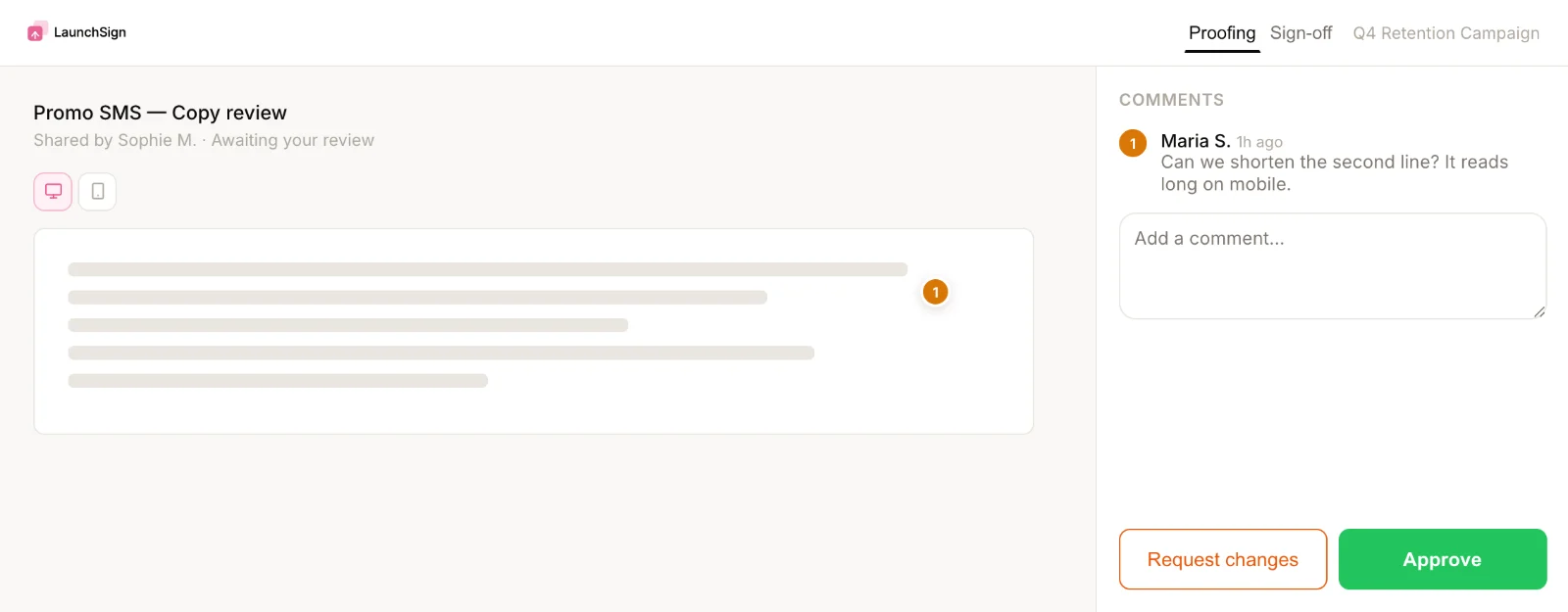
Campaign approval is the decision that clears a specific version of campaign work to move forward.
LaunchSign keeps comments, versions, review rounds and approval attached to the campaign asset they refer to.
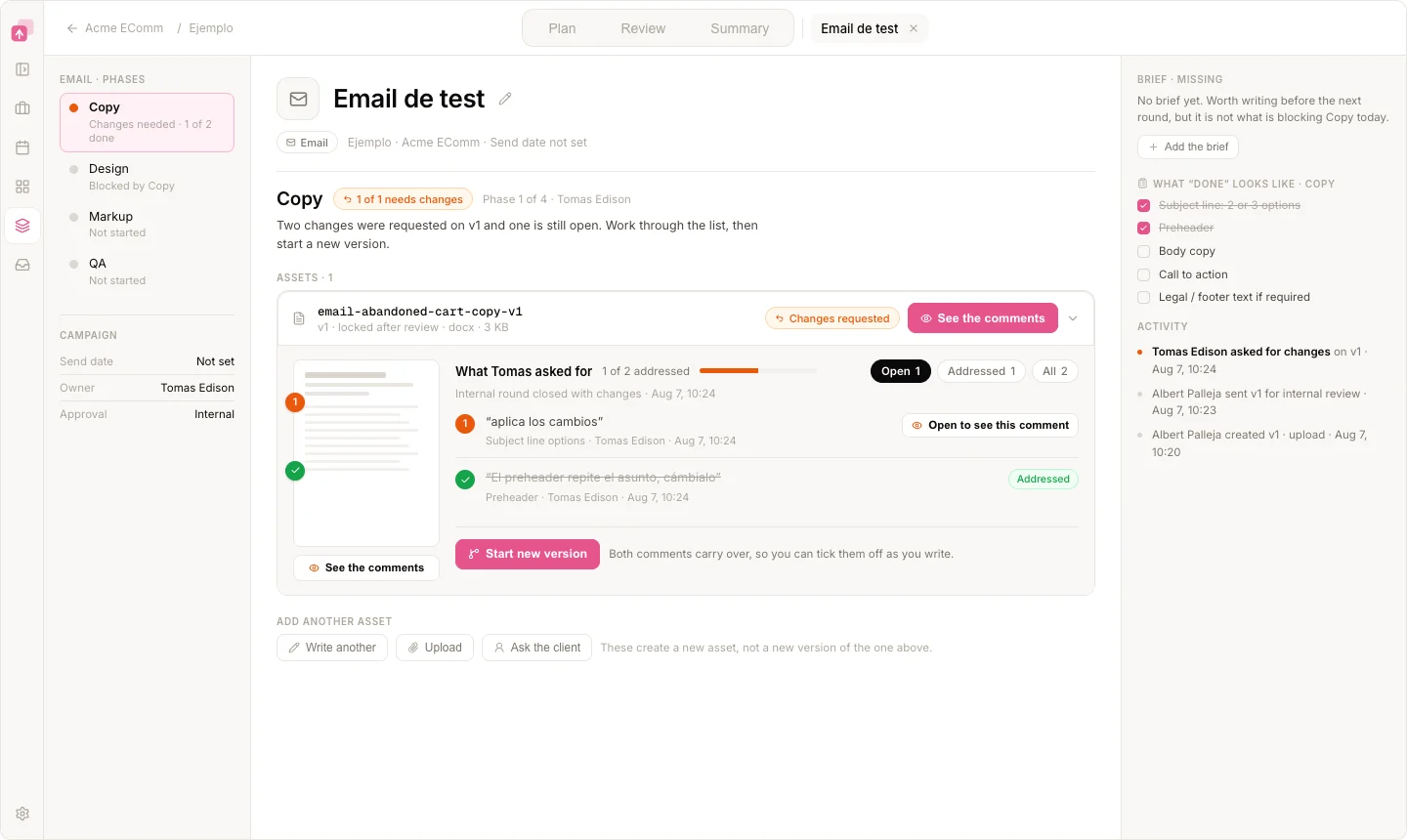
How do external reviewers approve work?
Agency clients can review the relevant work, leave feedback and approve or request changes without entering the team's internal workspace.
What does “approved” mean when the version changes?
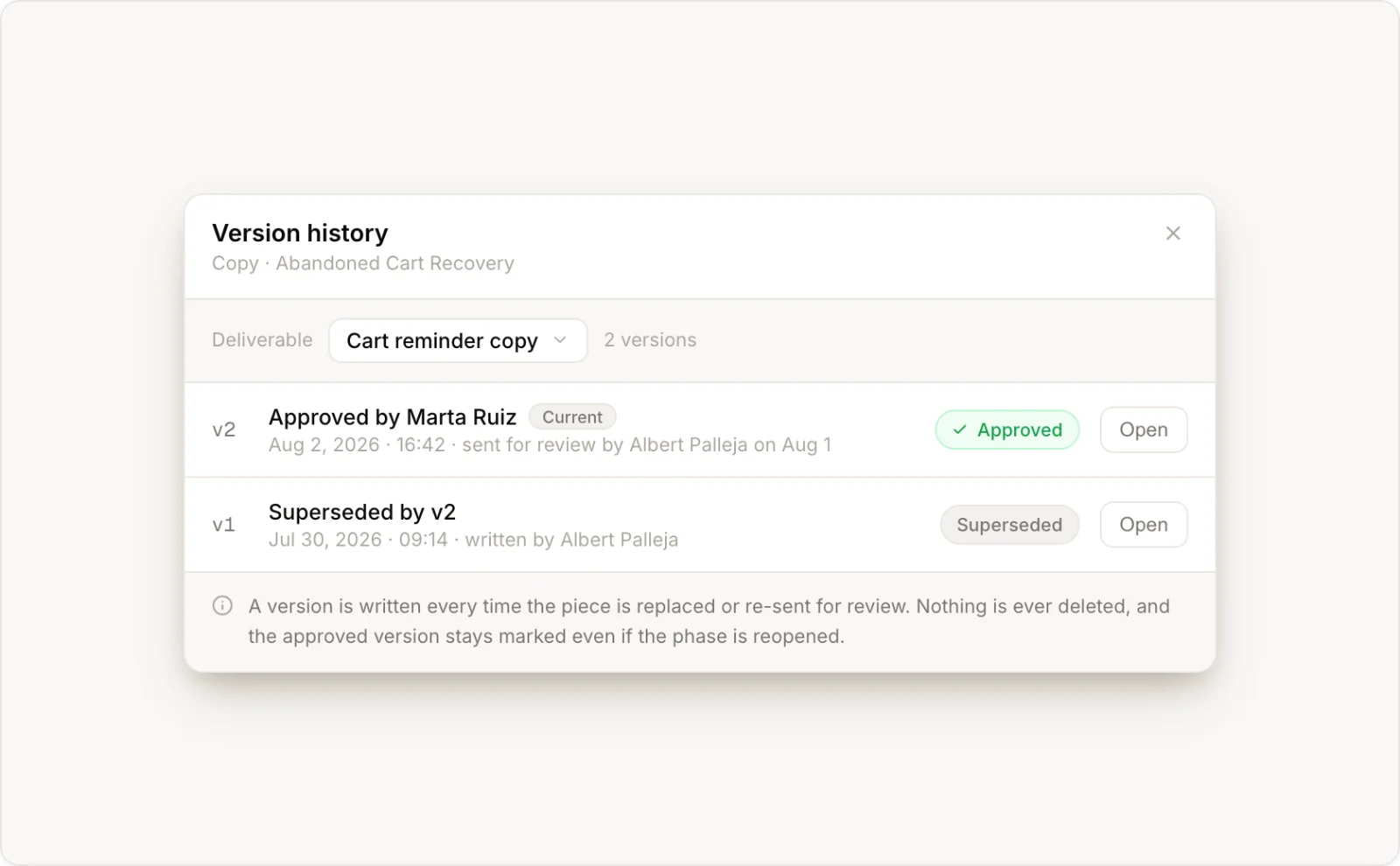
LaunchSign keeps the record of which version was approved, by whom, when, and what changed afterward.
Keep the tools built for the craft.
Designers keep working in Figma. CRM specialists keep building emails in the platform they already use to build and send. LaunchSign keeps the campaign state, testing, feedback and approval connected around that work.
See what is actually blocking the campaign.
Map the journey. Track every asset. Test the actual build. Keep approval attached to the right version.
FAQ
Does LaunchSign replace the platform we use to build and send campaigns?
No. Campaigns are still built and sent from the platform the client already uses. LaunchSign coordinates production, email testing, client proofing and approval around that work.
Does LaunchSign replace Figma?
No. Designers keep working in Figma. LaunchSign tracks the production state around the design and keeps review and approval connected to the campaign asset.
Can LaunchSign test emails across different email clients?
Yes. LaunchSign generates previews across 100+ email clients and environments, so teams inspect the actual built email before approval.
Can clients review without a LaunchSign account?
Yes. External reviewers use a focused review link without creating an account.
Does LaunchSign send campaigns?
No. LaunchSign does not execute email, SMS, WhatsApp or other campaigns. Final execution stays in the team's sending platform.